
Snapchat Solar System: Planets Order and Friend Rankings Explained
If you’re a Snapchat Plus user, you’ve probably seen the Snapchat Solar System feature or heard people talking about Snapchat Planets and might be curious what it actually means, how it works, and where these planets appear in your app.
Inspired by the real solar system, this feature turns your top eight best friends into planets, lined up from Mercury to Neptune. From understanding how this feature works to finding your spot in your friend’s Solar System, this complete Snap Solar System guide makes everything easy for you.
What Is the Snapchat Friend Solar System?
It is a premium feature of Snapchat Plus and has a cute space-themed animation. It has the same concept as the actual solar system in the universe, where planets revolve around the sun. Being a Snapchat Plus subscriber, you are the sun of your Snapchat solar system, and your top eight friends with whom you interact or engage the most act as planets in your orbit. The Snapchat orbit system shows how close you are to each friend based on your interaction. That is why the Snapchat Solar System is also known as the Friend Solar System, creating a personalized Snapchat Galaxy based on your closest connections.
How the Snapchat Planet System Actually Works
Snapchat’s algorithm tracks activity, such as the number of streaks, your connections, chat frequency, and overall engagements, to determine your best friend’s planet distance from you. The friend who has the strongest connection with you is your best friend, and his planet is closer to you than others, just like Mercury, which is closest to the sun. In short, the closeness is represented in the form of planets.
For Example:
If you are Mars in your friend’s solar system, that means you’re in the fourth position of closest friends.
- Your position will be ranked based on your interaction.
Note: The position of your friends can change over time based on their behaviour and interaction with you.
Snapchat Planets Order
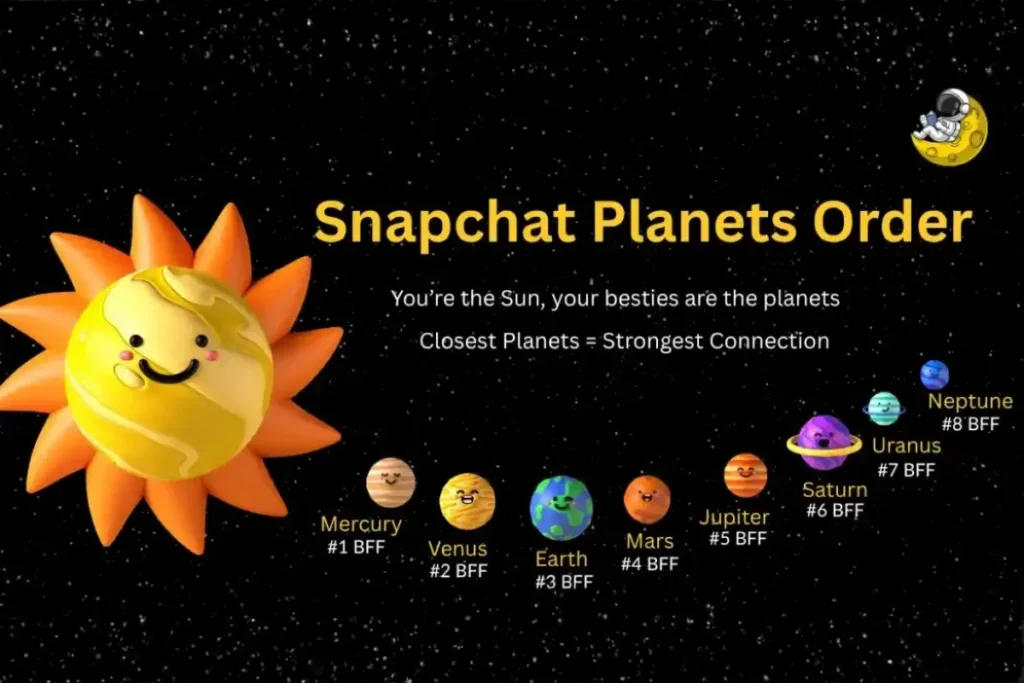
As we know, Snapchat indexes your top 8 friends in the form of planets. All the planets are arranged in the same order as the actual planets in the solar system. The best friends Planets list is arranged in the following order:
The Meaning Behind Each Snapchat Planet
Your top eight friends get a planet based on their interaction with you, and each planet describes a different level of friendship. This planet’s rankings help you visualize your closest friendships. For a better experience, we have explained the meaning of each snap planets in detail:
Mercury
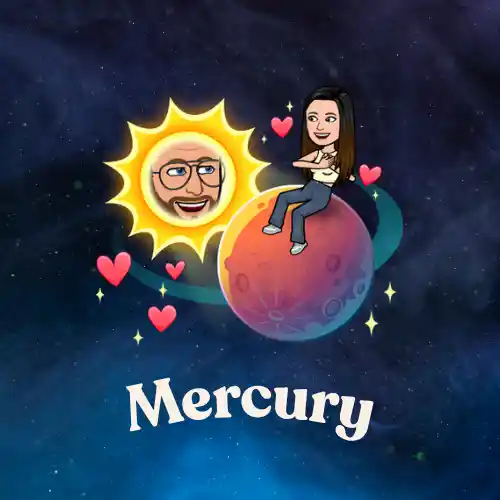
Mercury is the first planet in the Snapchat Solar System, same as the real world. It represents your #1 best friend with whom you interact the most. He is your most active friend on Snapchat with whom you make the longest streaks. This planet appears in bright red, with 4-5 red hearts surrounding it, which indicates closeness or purity. It also has some small stars around it.
Venus
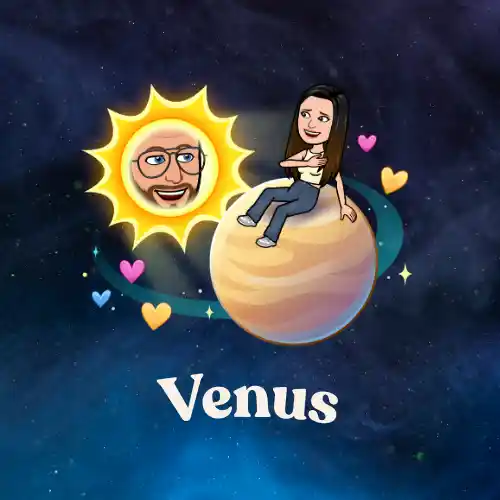
Venus is the second planet in the solar system and represents your 2nd closest friend. The interaction with this friend is also frequent and strongest, but less than with Mercury and more than with others. This planet appears in light brown with multiple colored hearts around it, such as pink, blue, and yellow.
Earth
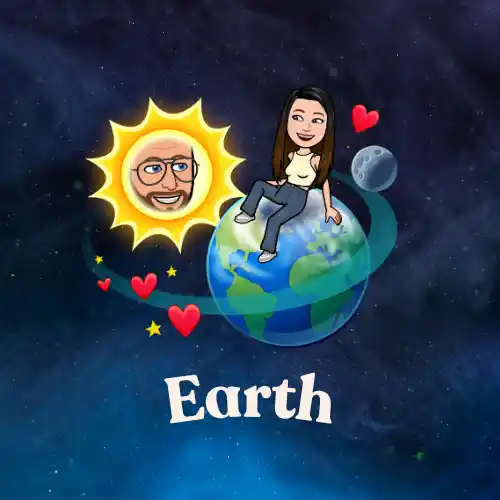
The Earth symbolizes your 3rd closest friend on Snapchat. The relationship with this friend is solid and reliable. He is the person who also has good and meaningful conversations with you and is important in your Snapchat universe. This friend planet is represented by the same colors as the real Earth, i.e., blue and green, with red hearts, a moon, and small yellow stars around it.
Mars
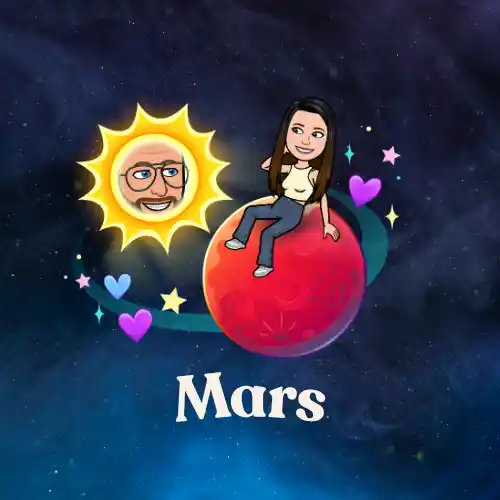
Mars is the fourth planet in the solar system and represents your 4th best friend. You still have a solid connection with your Mars friend, maintained through a few chats, snaps, and streaks. This friendship has a spark, just like the planet is symbolized by a fiery red color, accompanied by some yellow stars and purple, blue hearts surrounding it.
Jupiter
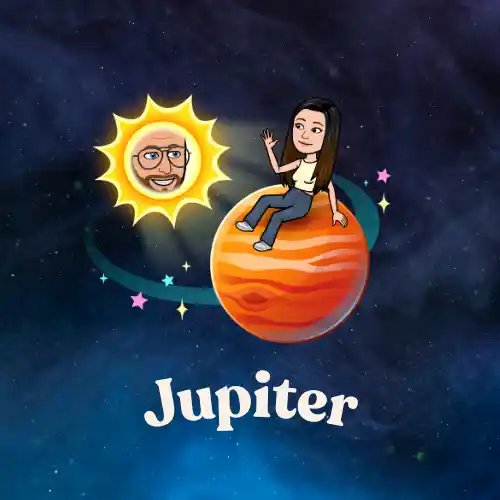
Jupiter represents your 5th closest friend in the Snapchat solar system. Just like the real Jupiter, the massive planet symbolizes a strengthened connection. It is an orange planet with dark orange stripes, surrounded by multiple colored stars.
Saturn
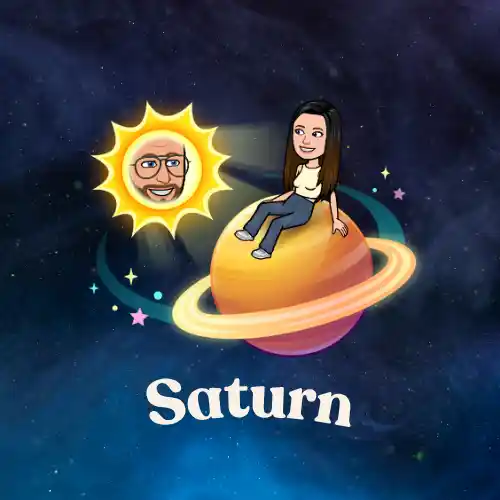
Saturn is the 6th planet in your Snapchat universe, indicating your sixth closest friend. The snap streaks, conversations, and overall connection are not as frequent as those of other planets, but they still have a good relationship. Saturn appears as a yellow-colored planet with a beautiful ring, surrounded by blue, pink, and yellow stars.
Uranus
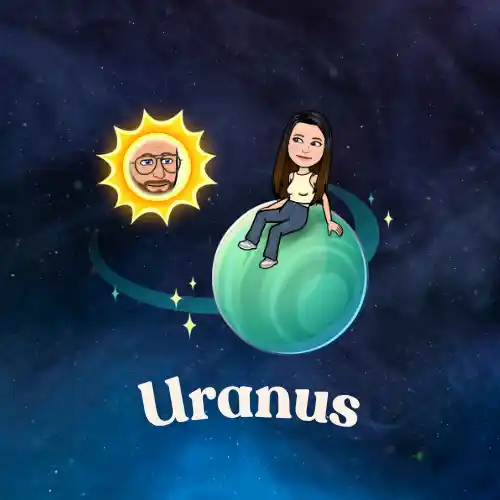
Uranus, positioned seventh in the solar system, represents your 7th closest friend. You are still tied up in a bond with limited interactions. This planet is green in color, with some stars, but no hearts.
Neptune
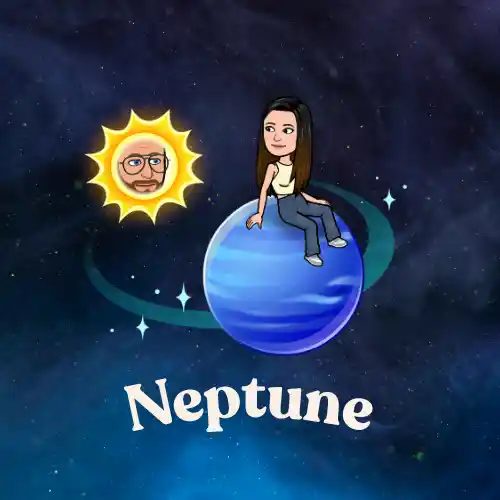
The last and the most distant planet in the solar system is Neptune, presented to your 8th closest friend with whom you have the least interaction among your top 8 closest friends. Neptune is a simple planet with a blue hue and blue stars only.
Snapchat Moons
The moon icon in the top right corner of the Snapchat camera screen enables Low-Light mode, which helps capture better photos in the dark. In Snapchat Planets, the Moon doesn’t play any role, but Earth is the only planet with a Moon in the background.
What is Snapchat Plus?
It is a premium subscription offered by Snapchat that unlocks advanced and exclusive features designed to elevate your social experience. This upgraded version is ideal for users who want more personalization, early access to experimental tools, and deeper insights into their Snapchat activity.
How to Get Snapchat Plus: Step-by-Step Guide
The first and most basic step to get a Plus subscription is to install the Snapchat app and create an account. Here are the step-by-step details of how to buy a subscription to it:
Now, officially, you are a Snapchat Plus member and enjoy all the perks of advanced features.
Snapchat Plus Subscription Pricing
Snapchat Plus offers exclusive subscription plans and has recently introduced a new Platinum Monthly plan, which is significantly more expensive and provides users with an ad-free experience. Here are the pricing details of each plan:
Monthly Plan
$3.99
Per Month
Annual Plan
$29.99
($2.50) Per Month
Platinum Plan
$15.99
Per Month
Lens+ Plan
$8.99
Per Month
Lens+ is the latest launched subscription plan of Snapchat+, which lets you enjoy 40+ exclusive features and lenses powered by GenAI
Note: Subscription privacy may vary in different countries and devices.
How to Enable or Disable the Snapchat Solar System Feature
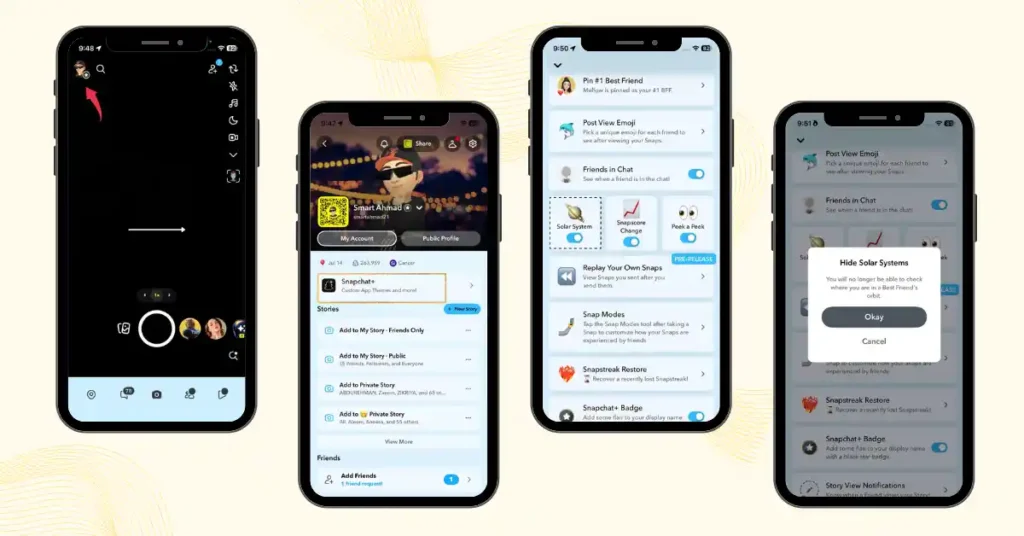
The main aim of the Snapchat solar system was to highlight close friends, but this feature has faced a lot of criticism because it causes stress and insecurities among young users after seeing their positions in friends’ solar systems. After this feedback, Snapchat decided to turn the feature off by default, and the desired users have to enable it manually.
How to enable it:
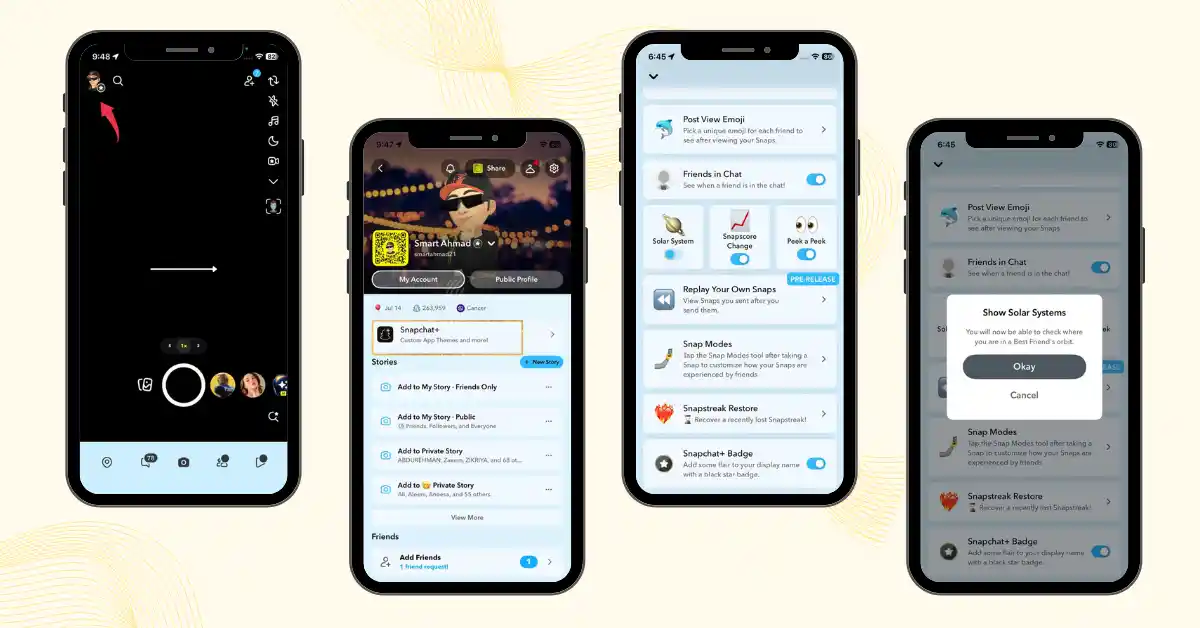
How to disable it:
Pros and Cons of the Snapchat Planets Feature
|
Pros |
Cons |
|---|---|
How to See a Friend’s Planet Position in Your Snapchat Solar System
Note: Bitmoji is a personalized avatar on Snapchat, appearing as a profile icon across the app.
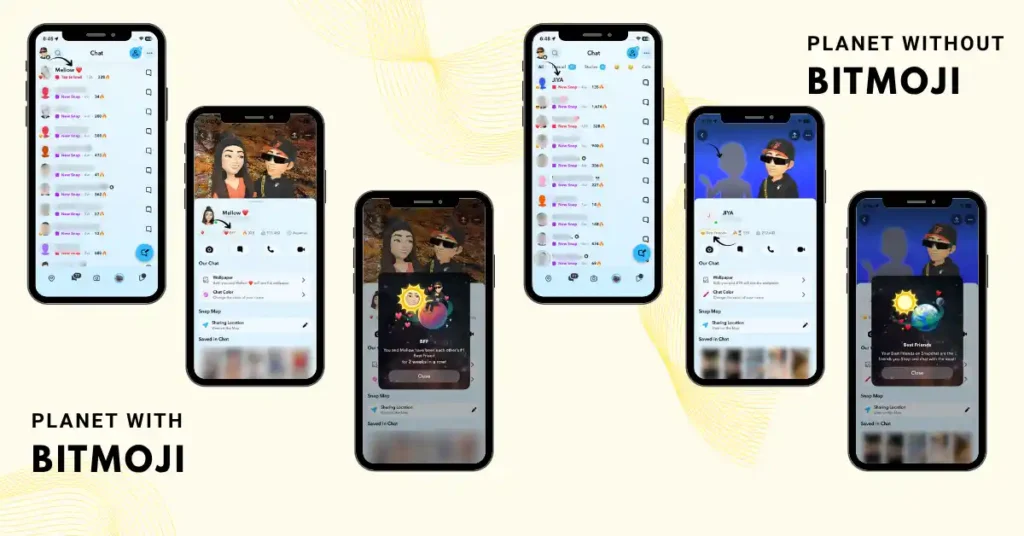
Note: If your friend doesn’t have Snapchat Plus, you can still see their planet position, as long as you have the Plus subscription and the Solar System feature is enabled in your settings.
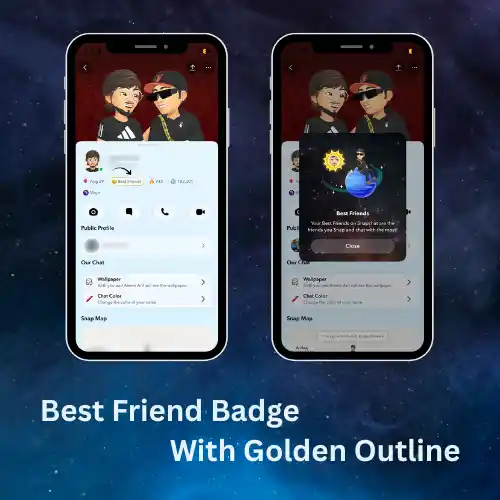
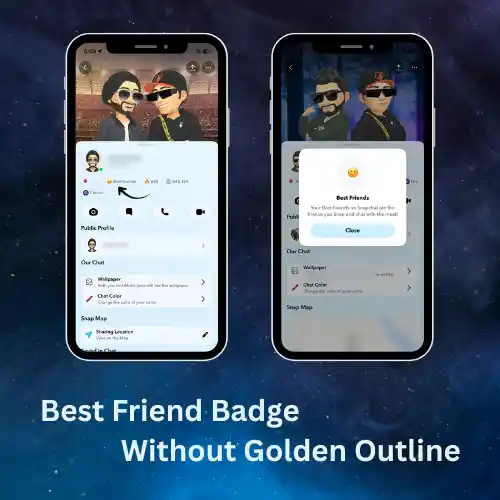
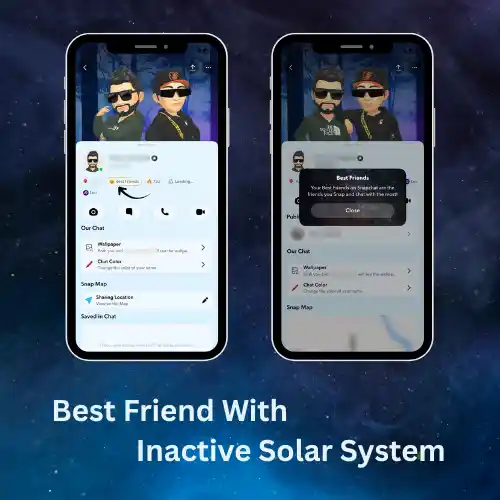
Snapchat recently updated its badge system, which left many users confused. Previously, there were two badges: the Friend and Best Friend badges, both with golden outlines.
In the new update, both now appear as Best Friend badges, with or without the golden ring, indicating whether the friendship is mutual or one-sided.
Best Friend Badge with Golden Ring
Note: Less than 0.25% of Snapchat users engage with this feature daily, so if you see a planet, you’re part of a lucky few!
Best Friend Badge without Golden Ring
Best Friend vs Friend Badge (Old Version)
Best Friend Badge: means that both of you are in each other’s solar system (top eight best friends).
Friend Badge: means they are in your friend’s solar system, but you are not in theirs.
Both previous badges were with a gold outline.
Can You see Snapchat Planets for Free?
No. It is a Snapchat+ exclusive feature and isn’t available for free.
The easiest and safest way to try it without paying is by using the 7-day Snapchat+ free trial, if it’s available for your account. This lets you experience the feature at no cost.
Avoid using unofficial apps or modified versions of Snapchat to unlock Planets for free. They may put your account at risk and could violate Snapchat’s Terms of Service.
Key Factors Behind Your Planet Ranking
Snapchat has never officially explained how it ranks Best Friends in the Friend Solar System. However, based on user observations and usage patterns, these factors appear to have the biggest influence on your Planet ranking.
Snap Frequency
Regularly sending and receiving photo or video Snaps is one of the strongest signs of an active friendship.
Chat Consistency
Frequent conversations and regular replies show an active friendship, which may help improve your ranking over time.
Quick Replies
The speed of your responses and how often you maintain ongoing conversations with each other positively affect your ranking.
Recent Activity
Your recent interactions matter the most. Activity from the last 14 days appears to carry the greatest weight, while older interactions gradually become less influential.
Snap Streaks
A long Snap Streak reflects consistent daily communication. Maintaining your streak over time can strengthen your friendship ranking.
Story Engagement
Viewing your friend’s Stories and reacting to them regularly adds another layer of interaction that may strengthen your friendship score.
Note: Occasional voice and video calls, combined with regular Snaps and chats, create a more active communication pattern that may help strengthen your friendship score.
Common Snapchat Planets Issues and Fixes
Some common problems a user can face are given below with solutions:
Snap planets are not showing up
You must have a subscription to Snapchat Plus to see this feature, and make sure to enable this from settings.
Still can’t see Planet Ranking after subscribing to Snapchat+
IIf you can’t see your Planet Ranking after subscribing to Snapchat+, make sure the Friend Solar System feature is enabled in your settings. If it’s already turned on, update and restart the app, or wait a little longer, as some features may take time to appear after your subscription is activated.
No quick update on Planet Order
Your Planet Ranking doesn’t update instantly. Snapchat may take some time to process your recent interactions, so keep using the app normally and check again later.
No gold ring around Best Friend Badge
If you see the Best Friend badge without a gold ring, it usually means you’re not one of their closest friends. They may interact with other friends more often than they do with you.
Friend Solar System Privacy Explained
The Friend Solar System is designed to be a private feature. When you enable it, you can see where your top eight Best Friends appear in your own solar system, even if those friends do not have a Snapchat Plus subscription. However, only you can access your personal solar system and view your friends’ planet positions, no one else, including your Best Friends, can see your rankings.
It’s also important to understand that planet positions are not mutual. For example, a friend who appears as Mercury in your solar system may see you as Earth, Mars, or another planet in their solar system. This is because each person’s ranking is created separately based on their own interactions and Best Friends list.
Since the Friend Solar System does not reveal anyone else’s rankings or Best Friends list, you cannot use it to check where you stand in another person’s friendship circle. However, Friend Emojis may provide small clues about friendship patterns, such as shared connections or interaction levels.
Are Snapchat Planets gone?
No, Snapchat didn’t remove the Friend Solar System. Due to stress reported by users and media like WSJ in late 2023, Snapchat made it off by default in April 2024. New Snapchat+ users must enable it manually in settings. So, the Planets still exist but now as an optional feature to support user well-being.
Latest Snapchat Planets Updates (2026)
The feature continues to receive small improvements as the app evolves. Recent updates have focused on enhancing the overall user experience with improved animations and a cleaner interface. However, its main purpose remains the same, allowing Snapchat+ subscribers to see their closest friend rankings.
Snapchat Planets Myths vs Facts
Myths:
Facts:
How Public Figures and Brands Can Use this feature
This feature is mainly designed for personal connections rather than business analytics or marketing purposes. Creators and public figures on Snapchat can use the feature like any other Snapchat+ subscriber to see the friends they interact with most on the app.
Is There a Secret 9th Planet in Snapchat?
No. Snapchat does not have a secret 9th planet. It only includes eight planets that start with Mercury and end with Neptune.
The rumor about a secret ninth planet has spread through social media posts, edited screenshots, and fan discussions. However, Snapchat has never announced any hidden ranking beyond the existing 8 planets.
Tips to Move Up in the Snapchat Planets Ranking
The following are the tips to boost your ranking in your friend’s solar system and move closer to the sun.
The Psychology Behind This Feature
The Snapchat solar system makes friendships feel more personal by turning social connections into a visual experience. Instead of only seeing a Best Friends list, users can view their closest friends as planets in a Solar System, making the experience more fun and memorable.
The unique visual design creates curiosity and gives users a new way to explore their friendships. For some users, this personalized experience may also be a reason to try Snapchat+ and enjoy more exclusive features.
Snapchat Extended vs. Planet Best Friends List: What’s Different?
| Features | Extended Best Friends List | Planet Best Friends List |
|---|---|---|
| Friend Range | Shows up to 16 friends | Limited to only top 8 friends |
| Appearance | Traditional ranked list format | Visual, space-themed planet system |
| Availability | For Snapchat Plus users | Available only in premium version |
FAQs
Conclusion:
Snapchat Planets turns your closest friendships into a fun virtual solar system, where each planet represents your connection level with a friend. From Mercury as your #1 Best Friend to Neptune in the eighth position, each planet reflects how your interactions shape your place in someone’s Snapchat universe.
Remember, your planet position is based on your interactions and is only visible to you. It’s designed to be a fun way to explore your friendships, not a measure of how important someone is to you.