
Snapchat Keyboard: How to Enable, Use, and Customize Your Chats
Explore the Snapchat keyboard feature in your app settings, and you might start wondering how it works and why it’s used. Many Snapchat users notice this option but don’t fully understand its purpose or how it can improve their chats.
This multi-purpose keyboard goes beyond simple typing, letting you use Snapchat Bitmoji, emojis, and stickers to make conversations more expressive. You can even use it across other social platforms, not just Snapchat.
In this guide, you’ll learn how the Snapchat keyboard works, how to enable it, and how to use its features step by step.
What is a Snapchat Keyboard?
This keyboard works like an extension of the app and is often known as the Bitmoji keyboard. It’s designed to make chatting more fun and expressive by combining your phone’s default keyboard with Bitmoji, emojis, and sticker suggestions.
Unlike a standard keyboard that only types text, it lets you:
In simple terms, it turns regular texting into a more visual and interactive chat experience.
How to enable Snapchat Keyboard Extension
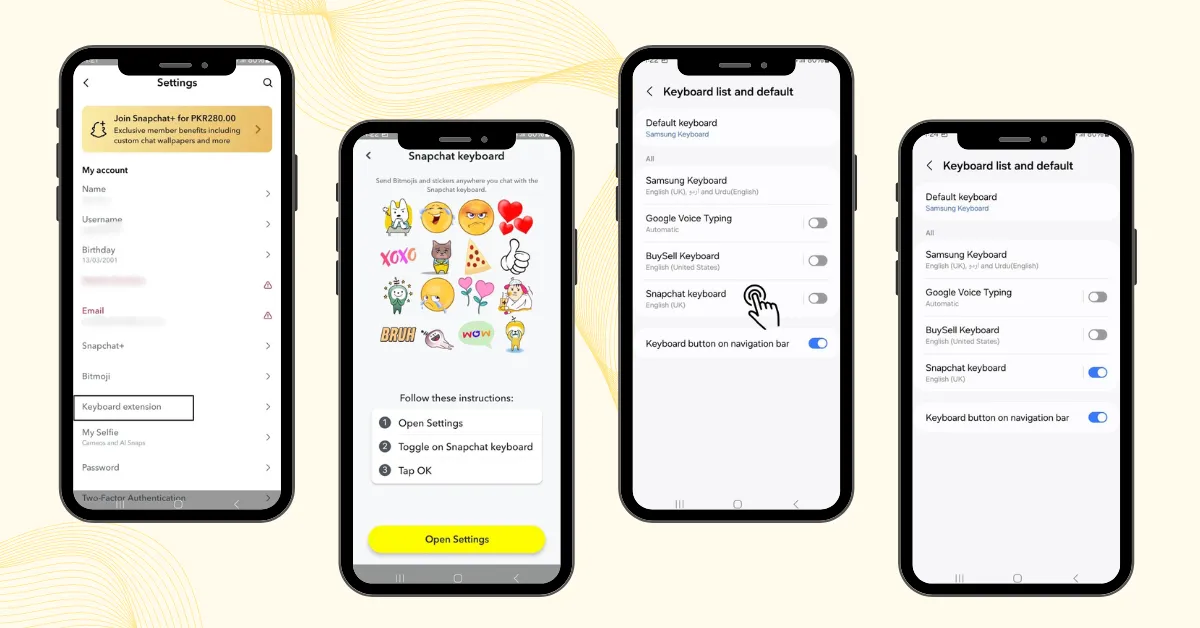
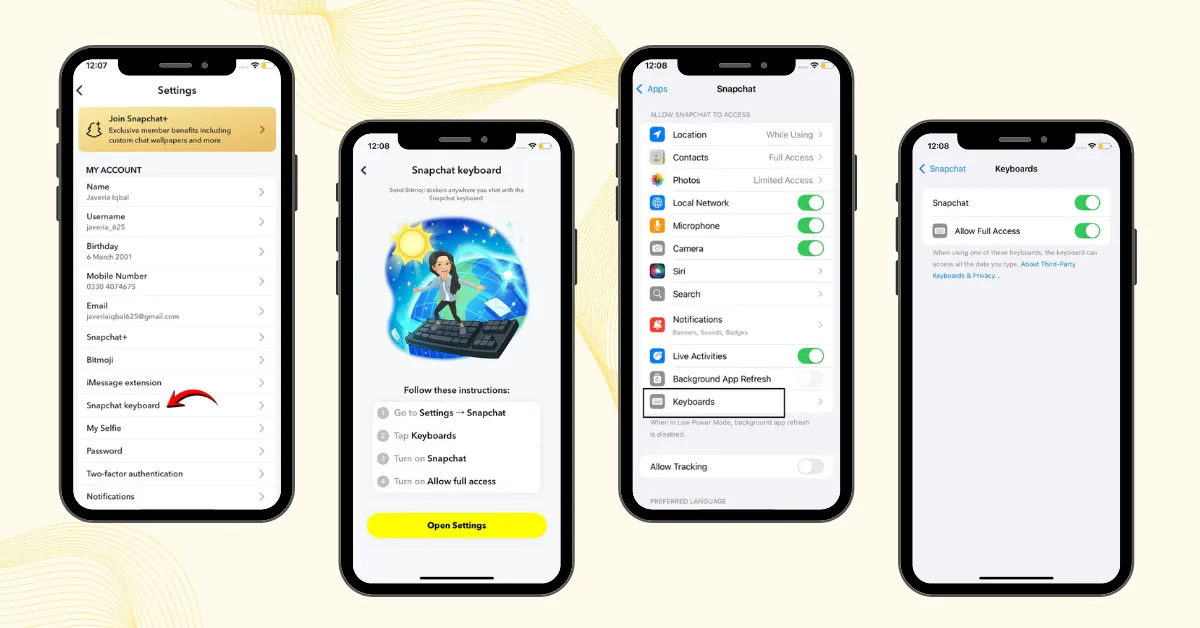
This extension is disabled by default, just like the Snapchat Planets feature, and needs to be turned on manually. You can enable it on both devices by following these simple steps.
On Android:
On iOS:
How to Use Snapchat Keyboard (Step-by-Step)
Here are some simple and interesting ways to use this keyboard on Snapchat:
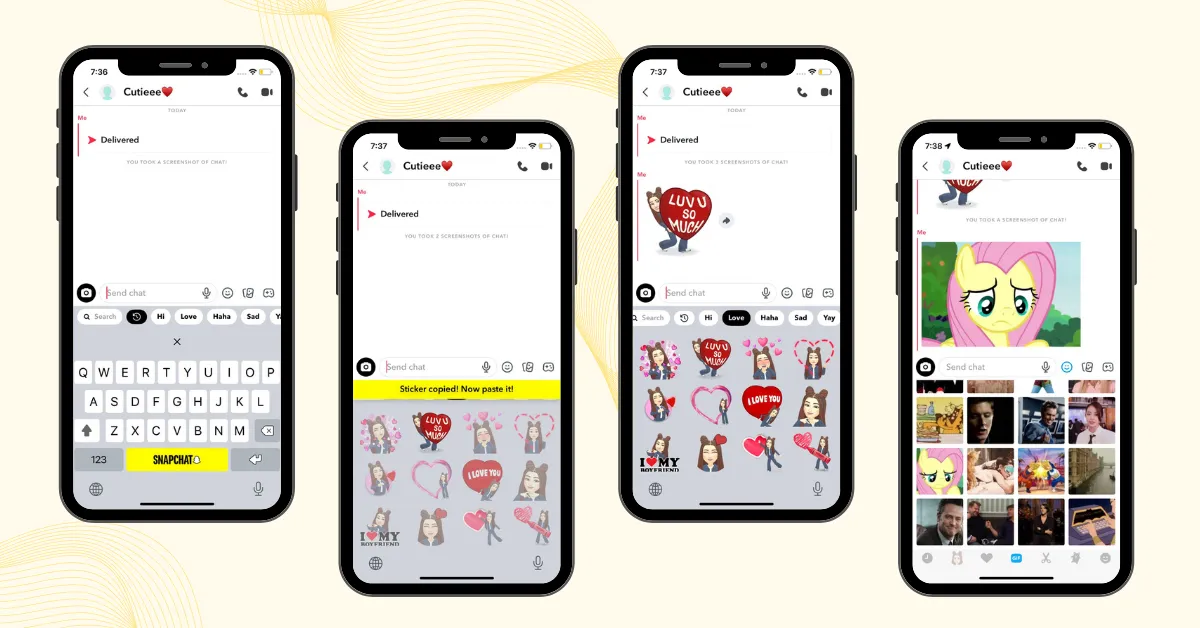
Note: You can use the Snapchat keyboard across multiple apps, not just in Snapchat.
iMessage Extension
An iMessage extension in Snapchat is an add-on feature available for iPhone users that lets you use Bitmoji, stickers, and emojis directly inside iMessage.
In simple words, it connects your Snapchat expressions to iMessage, making your chats more interactive.
How to Enable it
Snapchat Keyboard Not Working?
If your keyboard is not showing after activation or you’re facing lag issues while loading Bitmoji and stickers, don’t worry. These problems are usually easy to fix.
Common Fixes
Snapchat vs Default Keyboard
| Feature | Snapchat Keyboard | Default Keyboard |
|---|---|---|
| Focus | Designed for visual chat | Mainly for text typing |
| Bitmoji Support | Yes, built-in access | No native support |
| Stickers | Built-in sticker tools | Limited options |
| Customization | Medium | High |